 Happens all the time.
Warning! For ease of display, all screenshots operate on an x32 binary! The caveats of x64 are described in each step individually.
1. Find the faulty call instruction by double-clicking the address in the output console
2. Check callee function's type by clicking on its name and pressing Y
3. Is it populated? Erase everything, press Enter and try again
4. Didn't work/it's not populated? Decompile the callee(double-click the name to step into it) and go back to the caller
5. Check how many arguments the caller passes to the function by looking at the stack height
6. Remember that x64 MSVC passes 4 arguments in registers, so there are gonna be at least 4 arguments before stack is used if you're on x64
7. Remember that one entry in the stack is most often going to be a backup of
8. Set the callee function's arguments to match your observations of the caller
9. Be happy (in most cases)
If you're dealing with indirect calls like
2. Check callee function's type by clicking on its name and pressing Y
3. Is it populated? Erase everything, press Enter and try again
4. Didn't work/it's not populated? Decompile the callee(double-click the name to step into it) and go back to the caller
5. Check how many arguments the caller passes to the function by looking at the stack height
6. Remember that x64 MSVC passes 4 arguments in registers, so there are gonna be at least 4 arguments before stack is used if you're on x64
7. Remember that one entry in the stack is most often going to be a backup of
rbp and shouldn't be an argument8. Set the callee function's arguments to match your observations of the caller
9. Be happy (in most cases)
If you're dealing with indirect calls like
call eax, tough luck buddy, read Igor Skochinsky's blog which doesn't feature an ADHD mode.
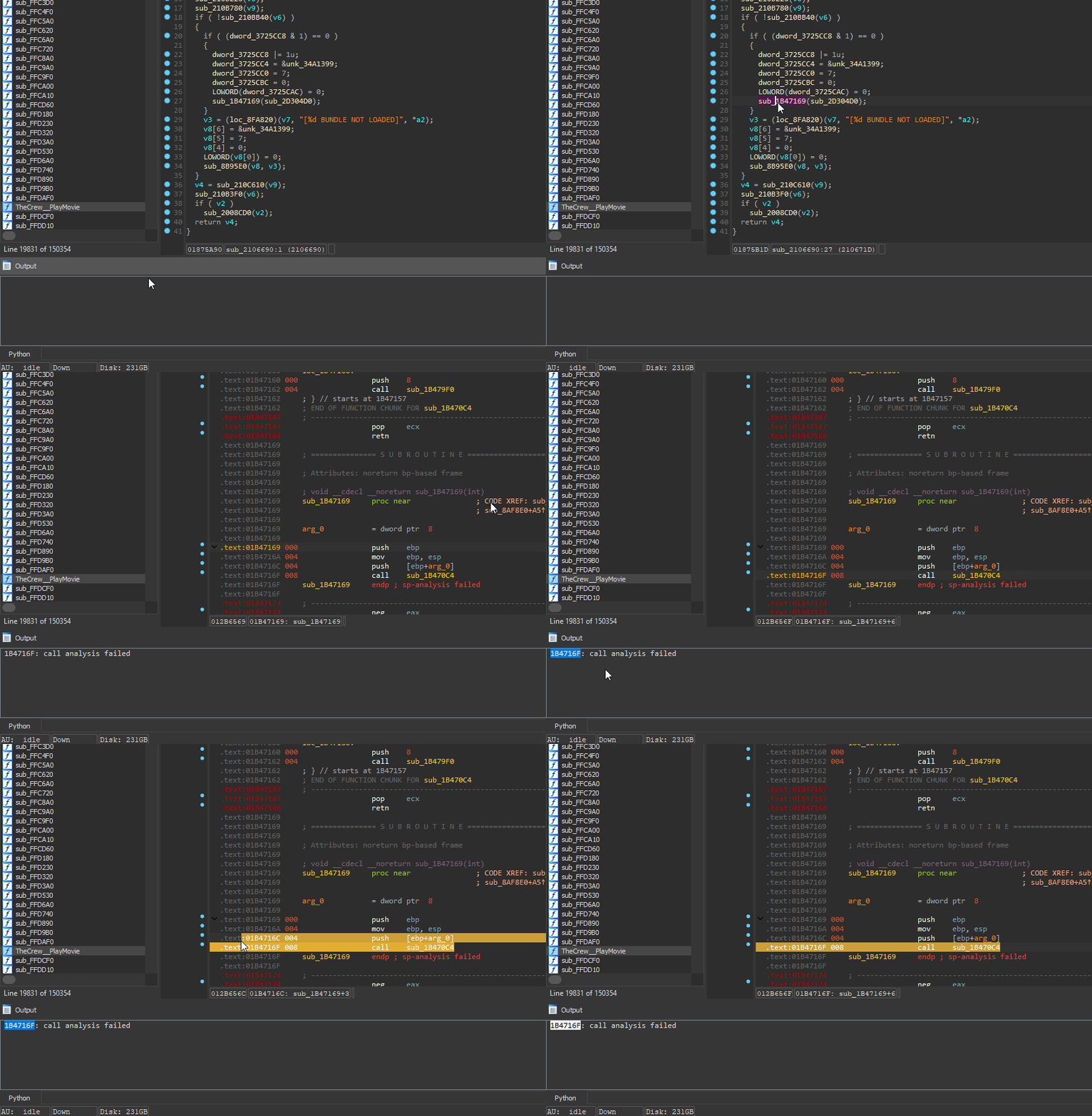 Finding the culprit
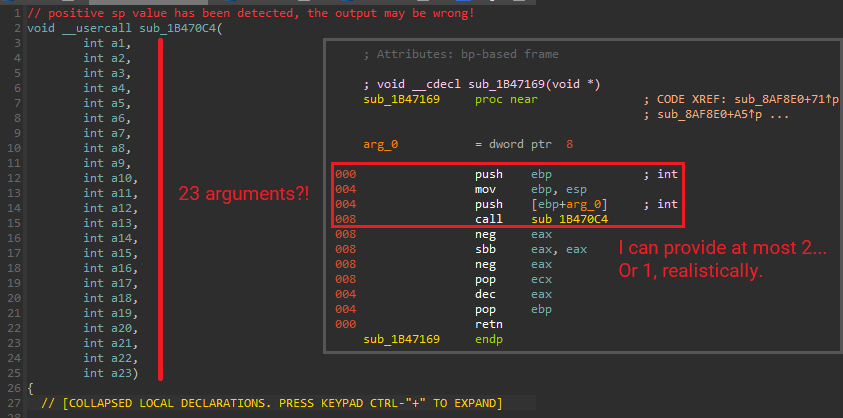 In this case, the function seems to demanding too many arguments off the stack - the caller doesn't provide enough and that shouldn't happen.
ebp - pure theory, more about that in the next step.ebp as the first thing on the function's stack, usually with the following prolog: push ebp; mov ebp, esp. Some functions, e.g. thunks, will not have it.- in IDA view) after applying the new signature, you most likely placed too many arguments! Keep reducing the amount of arguments until you get it to work.
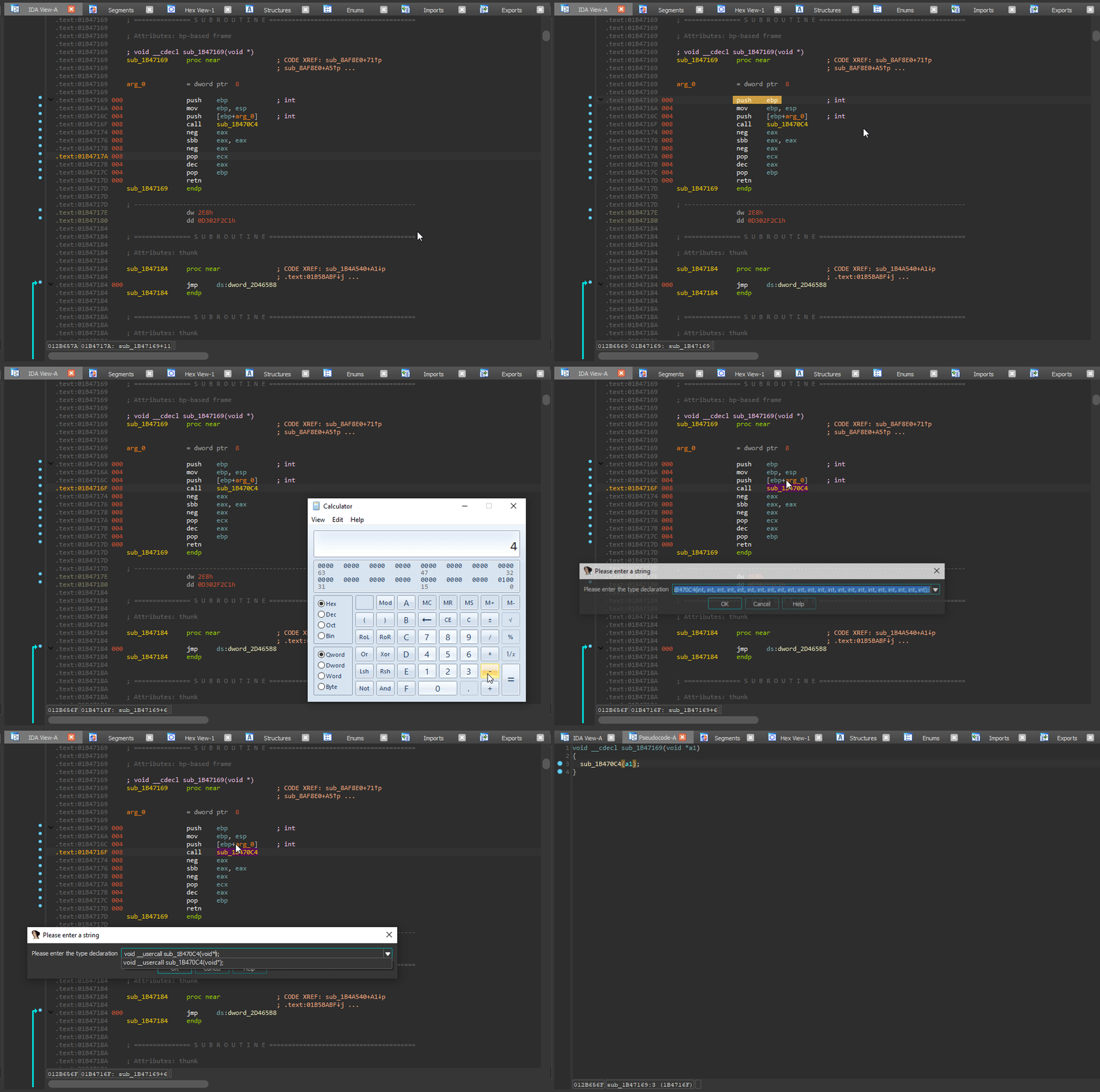 After fixing __noreturn, I calculated the amount of arguments to be 1 (
8 / 4 - 1 = 1 - 4 is the pointer size here). I placed 1 argument of type void* and it worked! If you don't know an argument's type, void* is usually the go-to option.
call eax) or any other form of an indirect call, please refer to Igor Skochinsky's blog. This will require knowledge of runtime debugging! TODO for me: make a newbie-friendly page for this feature :)
Please don't attempt to tackle VMProtect with zero reverse engineering experience.